Creating and sending an invoice is only the beginning. The work continues in tracking what is due, following up on late payments, recording what comes in, and reconciling it with the books.
For many businesses, invoicing is not difficult because creating the invoice itself takes a long time. The work is everything that happens around it.
An invoice has to be created and sent. Someone has to know whether it is still outstanding. If the due date passes, the customer may need a reminder. When payment arrives, it has to be recorded, matched to the right invoice, and eventually reconciled with the bank transaction.
When those steps live across an inbox, a spreadsheet, accounting software, and a banking portal, someone has to keep the process moving. Automated invoicing is what changes when those steps begin to work together instead.
Sending the invoice is only the first step
Late and outstanding invoices are common enough that payment follow-up cannot be treated as an edge case. Intuit QuickBooks' 2025 Small Business Late Payments Report, based on a survey of 2,487 US small businesses with 0–100 employees, found that 56% of businesses surveyed were owed money from unpaid invoices. Forty-seven percent reported having at least some invoices overdue by more than 30 days.
Federal Reserve Banks' 2024 Report on Payments provides a broader view of payment-related challenges for small businesses. Based on the 2023 Small Business Credit Survey, roughly four in five small firms reported a payments-related challenge. For businesses that collect payment after delivering a product or service, slow-paying customers were a particularly common challenge in several industries.
The operational issue is not simply that a customer may pay late. It is what the business has to do while waiting: identify what is outstanding, monitor due dates, decide when follow-up is needed, send reminders, recognize when payment arrives, and keep the accounting records up to date.
None of those steps is especially complicated on its own. The friction comes from having to remember, check, and repeat them across every open invoice.
Manual handling adds up at every step
The same pattern appears on the accounts payable side, where invoice processing can be measured on a per-invoice basis.
Ardent Partners surveyed 204 accounts payable and finance leaders between March and May 2025 for its State of ePayables report. The average organization in the survey spent $9.84 processing a single invoice, took 8.2 days from receipt to approval, and had an invoice exception rate of 18.4%.
Ardent also separates what it calls "Best-in-Class" AP teams — the top 20% based on processing cost and cycle time — from all other organizations. The performance gap is substantial: Best-in-Class teams process an invoice for $2.65, compared with $12.42 for other organizations, a 79% lower cost. Their average processing time is 2.9 days, compared with 13.5 days, also about 79% faster. Their invoice exception rate is 11.1%, compared with 20.9% for other organizations.
There is an important caveat to the Ardent Partners numbers: its survey skews toward larger organizations, with 54% of respondents reporting more than $1 billion in annual revenue and 20% reporting less than $250 million. A small business processing dozens of invoices will therefore not have the same costs as an enterprise processing thousands. But the comparison is useful for a different reason: it shows how large the performance gap can be between Best-in-Class organizations—which also report greater adoption of several AP technologies—and other organizations.
What automated invoicing actually changes
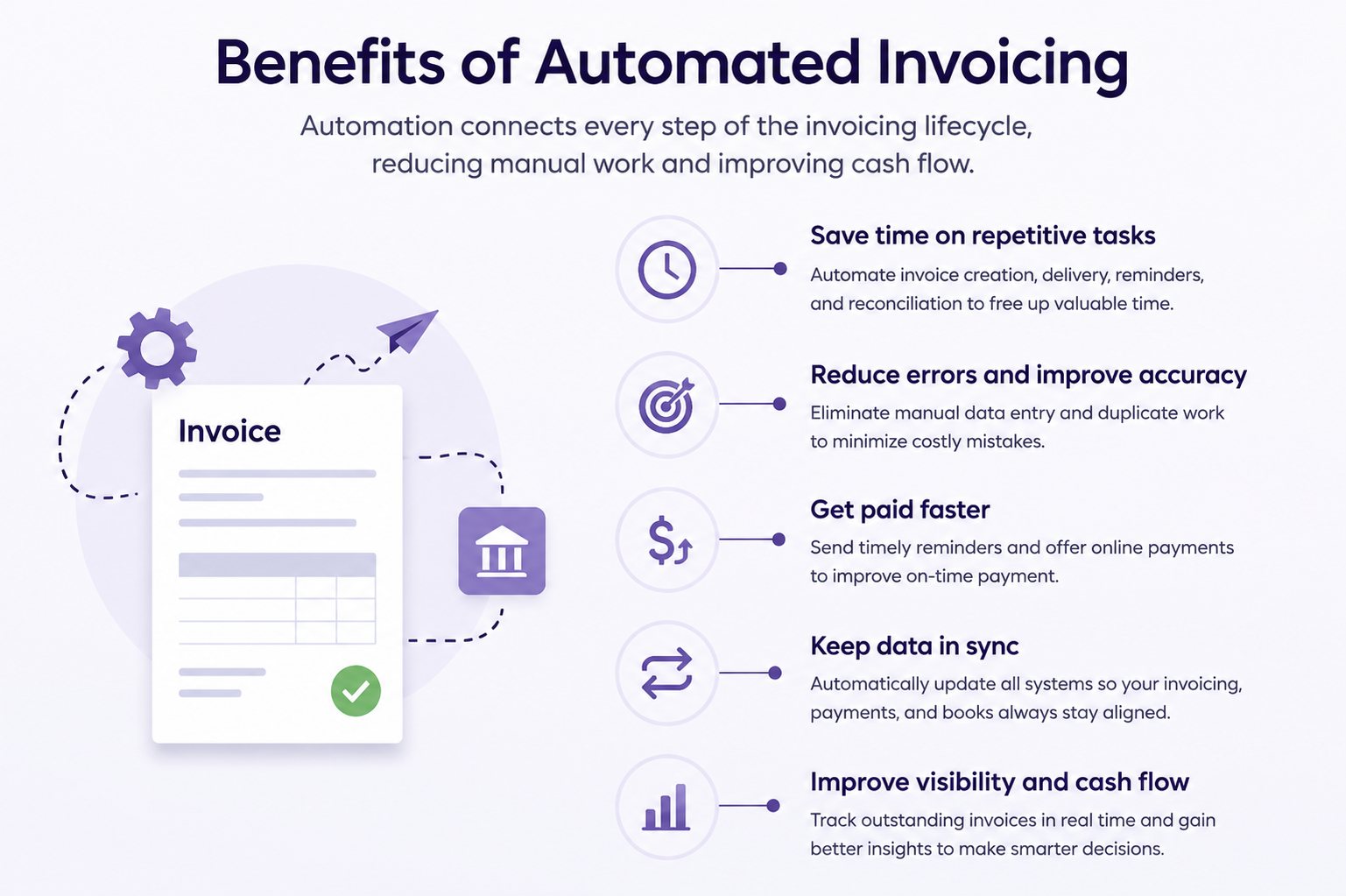
Automation is easy to misunderstand as one feature: automatically generating an invoice or letting a customer pay online. In practice, the more meaningful change is connecting the steps around the invoice.
On the receivables side, that can mean creating a recurring invoice automatically, knowing its current status without maintaining a separate tracker, sending a payment reminder when it becomes due or overdue, letting the customer pay online, recording the payment against the invoice, and matching the resulting transaction during reconciliation.
On the payables side, it can mean capturing an incoming invoice, routing it for approval, scheduling payment, and carrying the transaction through to reconciliation without repeatedly entering the same information.
The Best-in-Class gap in Ardent's research isn't explained by one piece of software or one automated task. Ardent Partners' data shows that higher-performing teams are more likely to automate several stages of the process. Among Best-in-Class organizations, 80% use automated routing and approval workflows, compared with 67% of other organizations. 79% use eInvoicing, compared with 53%. And 77% use electronic payments, compared with 51%.
Individually, none of these technologies is unusual. The bigger difference is what happens when those capabilities work together. The benefit isn't simply doing the same work faster. It is reducing the number of times someone has to remember the next step, check a status manually, re-enter information, or move data from one system to another.
Start with the steps that should not require attention
Not every part of invoicing and payment management is equally easy to automate. Ardent Partners' research shows that some of the most automated AP activities today include travel and expense management, payment scheduling, invoice approvals, and payment execution. These processes have something in common: they contain relatively clear, repeatable rules.
Other activities, including exception management, cash management, and supplier onboarding, remain less automated. They tend to involve more variation, judgment, or information that doesn't fit neatly into a standard workflow.
That suggests a practical starting point for a smaller business: automate the predictable steps first. If the same customers receive the same invoices every month, automate their creation. If every customer should receive a reminder a few days before or after a due date, automate the reminder instead of relying on someone to review an aging list and send it manually. If an invoice follows the same internal approval path, automate the routing. If bank transactions can be matched against existing records using consistent information, let the system surface or make those matches instead of starting from scratch each time.
Exceptions can still be handled by a person. The goal doesn't have to be removing people from the process entirely; it can simply be making sure they spend less time on the parts that don't require their judgment.
What this looks like in Zoho Books
For a small business, applying these principles doesn't require building an enterprise AP operation. The first step is identifying where information is being entered, checked, moved, or followed up manually — and where the next action can be determined by a rule rather than a judgment call.
If the same invoices are created repeatedly, Zoho Books can generate recurring invoices automatically. If payment follow-up depends on someone remembering to send an email, Zoho Books can send automated payment reminders at chosen intervals. Workflow automation can also trigger emails and other actions based on predefined conditions, including payment dues.
If the customer pays online through a supported payment option, the payment can be associated with the invoice and its status updated. Bank feeds then bring banking transactions into Zoho Books, where matching and reconciliation tools help connect those transactions with the accounting records. And on the accounts receivable side, the client portal gives customers a place to view and pay invoices directly, while the business can track payments and outstanding amounts from the same system.
The specific features vary, but the principle is the same one visible in the broader research: connect the repetitive parts of the process so that information doesn't have to be manually recreated at every step. For a small business, that might mean connecting only a handful of activities: invoice creation, status tracking, payment reminders, online payments, bank transactions, matching, approvals, and reconciliation.
The point is not that every invoice needs to run without human involvement. It is that routine invoices should not require someone to manually supervise every stage of their lifecycle.
From invoice sent to payment reconciled
Invoicing is only one part of running a business, but the process extends much further than creating a document and emailing it to a customer. There is a lifecycle: create the invoice, send it, track what is outstanding, remind the customer when necessary, receive the payment, record it against the right invoice, and reconcile the transaction.
That also makes invoicing a practical place to start. Rather than trying to automate an entire business at once, businesses can begin with those repetitive, rule-based steps and connect them so that each completed action can lead naturally to the next.
The larger lesson from the research isn't that every invoice should run without human involvement. It's that people add the most value where judgment is actually required — not where the job is checking whether an invoice is overdue, sending the same reminder, updating a status, or moving the same information from one system to another.
Sources
- Ardent Partners. The State of ePayables 2025: AP's Unfinished Journey (204 AP and finance leaders surveyed, March–May 2025).
- Intuit QuickBooks. 2025 US Small Business Late Payments Report (2,487 US small businesses with 0–100 employees, January 2025).
- Federal Reserve Banks. 2024 Report on Payments: Findings from the 2023 Small Business Credit Survey.
- Zoho. Zoho Books Accounting Software Features, Accounting Automation, Banking, and Zoho Payments documentation.